AI-first
An assistant in the app builds and changes the plant with the same tools you use, one undo step per answer. Claude Desktop, Claude Code and other MCP clients can drive LineRig too. The PLC program always stays yours.
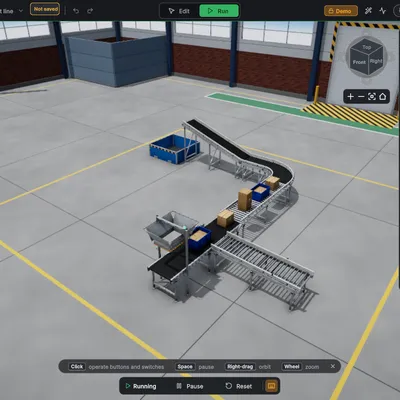
AI-first
An assistant in the app builds and changes the plant with the same tools you use, one undo step per answer. Claude Desktop, Claude Code and other MCP clients can drive LineRig too. The PLC program always stays yours.
Real production physics
Belts never move: loads are driven only by friction, so they slip, queue, tip and jam like real ones. Cylinders have real force limits. Every effect has a measured test.
Your own PLC
S7 PUT/GET to PLCSIM Advanced, an S7-1200 or an S7-1500, from Windows or macOS. A signal mapping to %I/%Q/DB
addresses that exports as a TIA Portal tag table.
Fixed simulation clock
Physics steps at 1/120 s, independent of the frame rate, like a fixed I/O cycle. Plants with hundreds of parts stay smooth on a laptop.
The clips are recorded from the test line running with its demo logic in place of a PLC.
| Mode | What you do | What runs |
|---|---|---|
| Edit | Place, move, rotate and configure parts; undo and redo; save projects | Nothing moves: display and selection only |
| Run | The plant is simulated; a PLC, the demo program or you (by forcing signals) control it | Simulation clock, physics, PLC exchange |
| Reset | Back to Edit: loads disappear, every device returns to its initial state | – |
The plant document is the only truth: Run builds the simulation from it and Reset throws the simulation away, so a run can never change what you built.